> ## Documentation Index
> Fetch the complete documentation index at: https://docs.stopbars.com/llms.txt
> Use this file to discover all available pages before exploring further.
# Create a contribution draft
> Generate a BARS draft from an MSFS or X-Plane scenery package and review the matching result.
The draft generator compares the selected airport scenery with the division layout and creates the first version of your contribution.
## Choose the scenery package
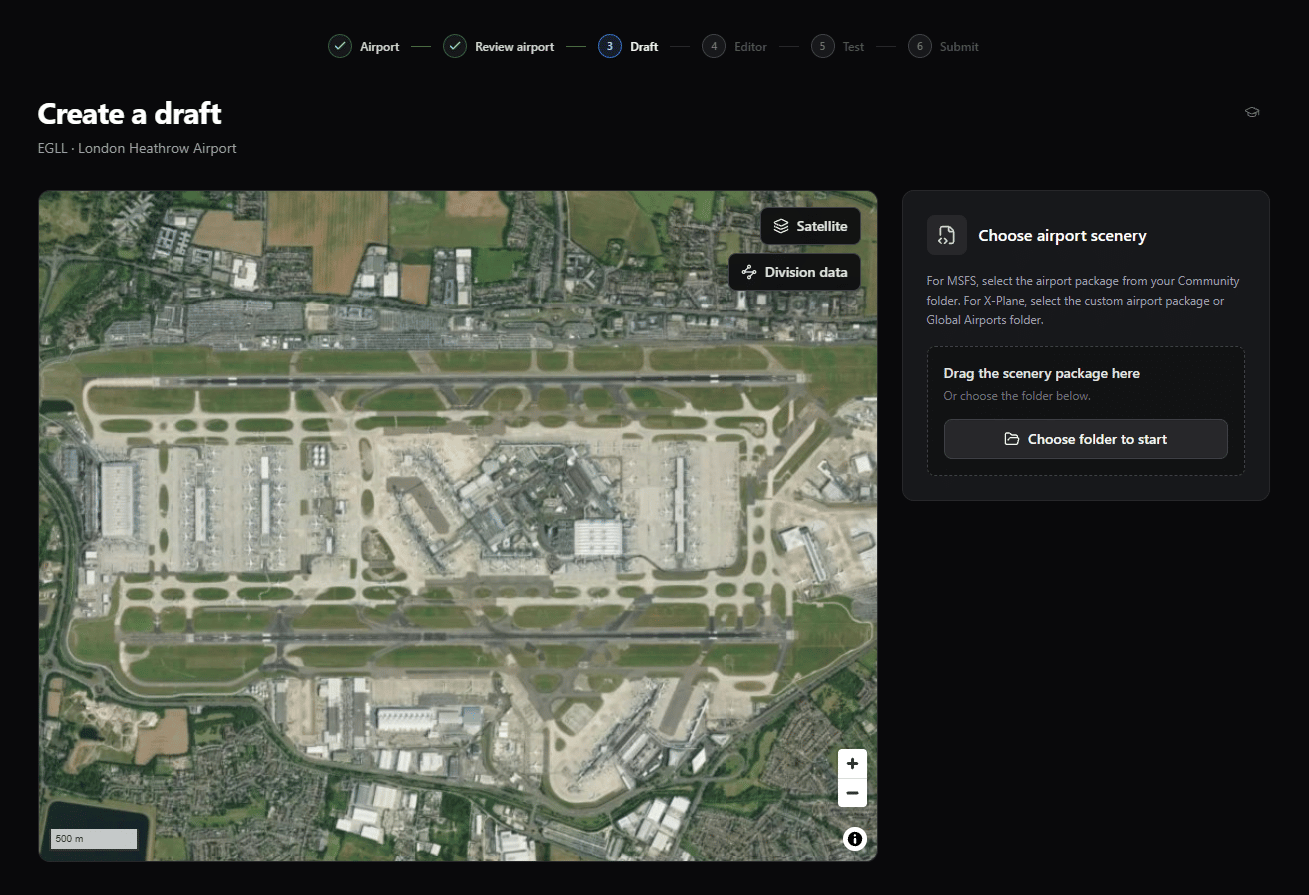
Select or drag the airport package from the Community folder. Choose the package itself, not the whole Community folder.
Select or drag the custom airport package. For a default airport, select the Global Airports folder.
You can use **Choose folder to start** or drag the folder into the selection area. Generation starts after BARS recognizes the package and airport.
Select the package for the ICAO shown at the top of the page. BARS cannot create a draft when the package contains no usable scenery near that airport.
 ## Follow generation progress
The progress panel shows what BARS is working on while it reads the scenery and matches its lights with the division layout.
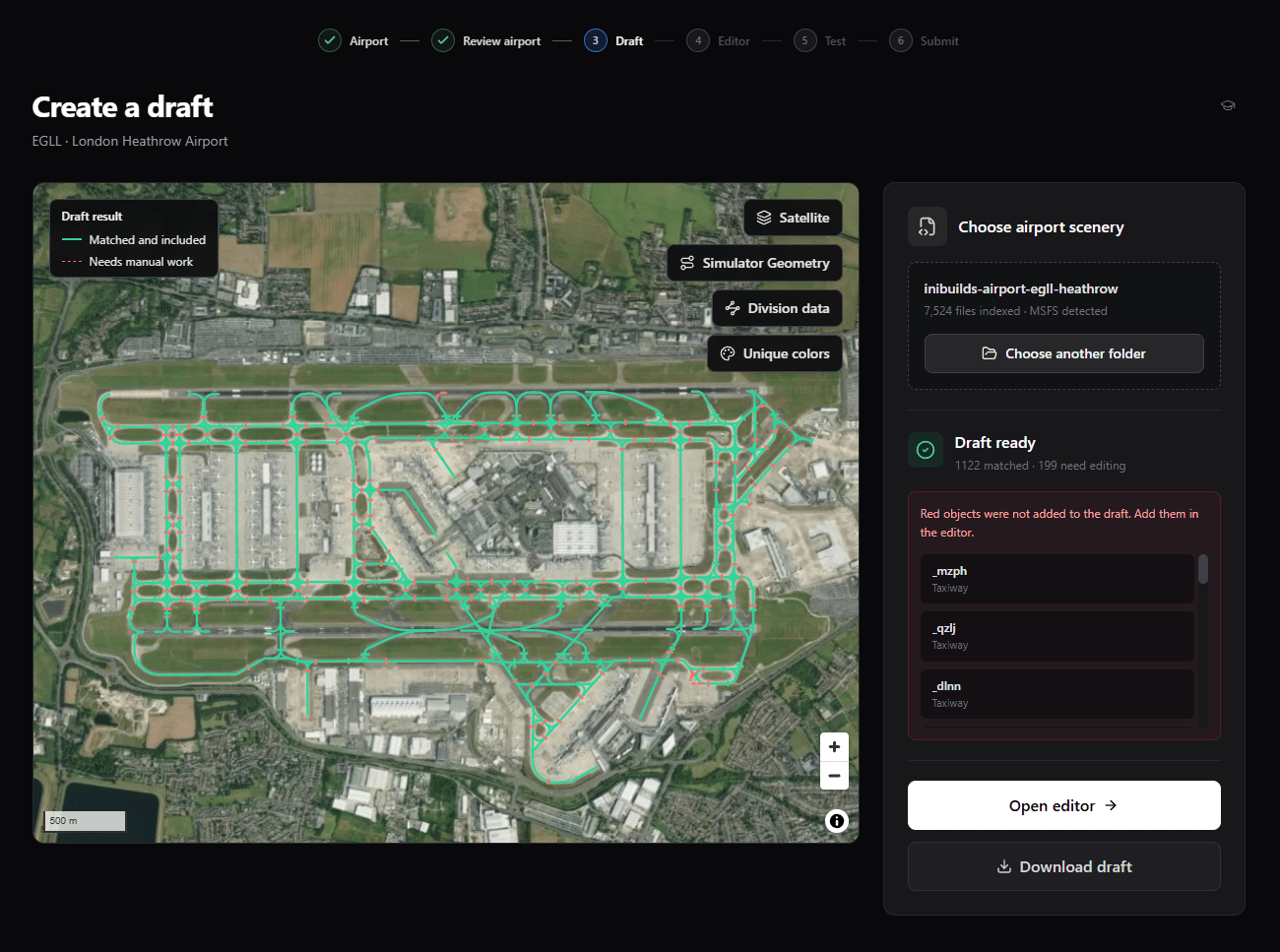
When it finishes, the map and result panel separate the draft into:
* **Matched and included** objects, shown in green.
* **Needs manual work** objects, shown with a red dashed line and excluded from the automatic draft.
Red objects are not submission errors by themselves. Open the editor and add or correct them before testing.
## Follow generation progress
The progress panel shows what BARS is working on while it reads the scenery and matches its lights with the division layout.
When it finishes, the map and result panel separate the draft into:
* **Matched and included** objects, shown in green.
* **Needs manual work** objects, shown with a red dashed line and excluded from the automatic draft.
Red objects are not submission errors by themselves. Open the editor and add or correct them before testing.
 ## Inspect the result map
| Control | What it shows |
| ----------------------- | --------------------------------------------------------------------------------------------- |
| Satellite or Street Map | Switches the base map. |
| Simulator Geometry | Shows the scenery lights BARS used to create the draft. |
| Division data | Shows the division's original lighting objects. |
| Unique colors | Gives every BARS ID a consistent color so shared and adjacent objects are easier to separate. |
| Select an object | Opens its match state, BARS ID, type, and match percentage. |
Use the **Simulator Geometry** legend to distinguish the original scenery lights from the shapes BARS included in the draft.
## Choose the next action
Continue with the generated draft and the selected scenery source.
Save the generated XML before editing or move it to another browser or computer.
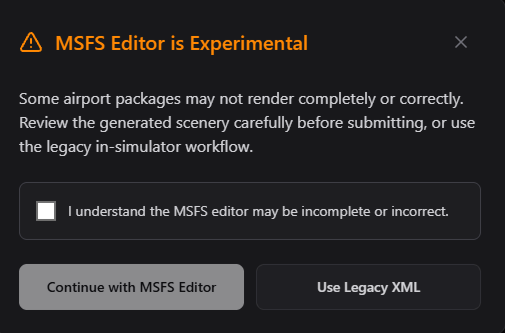
The MSFS browser editor is experimental. When you select **Open editor**, acknowledge that some packages may render incompletely or incorrectly. You can choose **Use Legacy XML** instead and continue at the test step.
## Inspect the result map
| Control | What it shows |
| ----------------------- | --------------------------------------------------------------------------------------------- |
| Satellite or Street Map | Switches the base map. |
| Simulator Geometry | Shows the scenery lights BARS used to create the draft. |
| Division data | Shows the division's original lighting objects. |
| Unique colors | Gives every BARS ID a consistent color so shared and adjacent objects are easier to separate. |
| Select an object | Opens its match state, BARS ID, type, and match percentage. |
Use the **Simulator Geometry** legend to distinguish the original scenery lights from the shapes BARS included in the draft.
## Choose the next action
Continue with the generated draft and the selected scenery source.
Save the generated XML before editing or move it to another browser or computer.
The MSFS browser editor is experimental. When you select **Open editor**, acknowledge that some packages may render incompletely or incorrectly. You can choose **Use Legacy XML** instead and continue at the test step.
 Correct geometry, add missing objects, manage removals, and clear validation errors.