> ## Documentation Index
> Fetch the complete documentation index at: https://docs.stopbars.com/llms.txt
> Use this file to discover all available pages before exploring further.
# Overview
## What is division management?
The BARS division management system gives your division control over the airport lighting data for airports within your jurisdiction. Your nominated staff define and manage the lighting data, and whether an airport is ready for scenery contributions.
One system keeps airport data accurate and consistent. Scenery contributors refer to the same lighting objects instead of maintaining conflicting definitions for each simulator or scenery package.
 ## What your division manages
* Staff access through the Nav Head and Nav Member roles.
* Requests to manage airports within your jurisdiction.
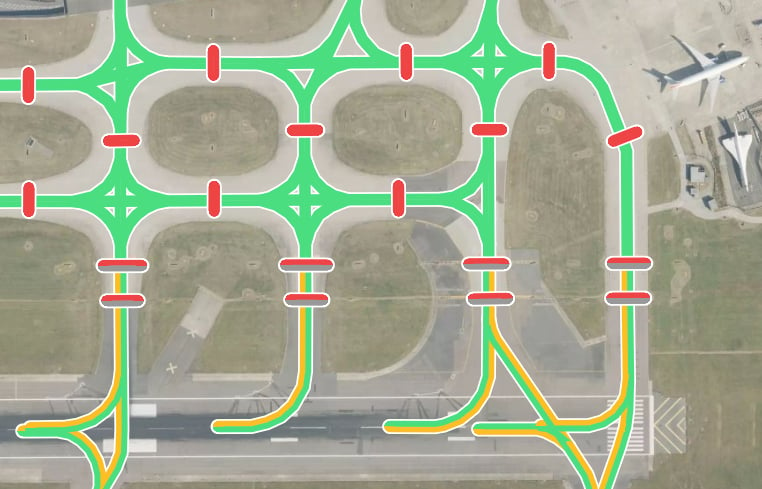
* Airport lighting locations, names, types, and lighting properties.
* Whether each approved airport accepts scenery contributions.
BARS staff set up divisions and review airport access requests. Scenery contributors use your division's data to position lights in individual simulator scenery packages.
## Start with your division
[Contact BARS](/divisions/getting-started) from your division email address and nominate the first Nav Head.
[Manage access](/divisions/management) and wait for airport approval before adding lighting data.
Define airport [lighting objects and their properties](/divisions/airport-data), using the appropriate editor.
Once the complete airport lighting data has been checked and saved, enable contributions so contributors can add scenery support.
## Next Steps
Register your division with BARS and get access for your team.
## What your division manages
* Staff access through the Nav Head and Nav Member roles.
* Requests to manage airports within your jurisdiction.
* Airport lighting locations, names, types, and lighting properties.
* Whether each approved airport accepts scenery contributions.
BARS staff set up divisions and review airport access requests. Scenery contributors use your division's data to position lights in individual simulator scenery packages.
## Start with your division
[Contact BARS](/divisions/getting-started) from your division email address and nominate the first Nav Head.
[Manage access](/divisions/management) and wait for airport approval before adding lighting data.
Define airport [lighting objects and their properties](/divisions/airport-data), using the appropriate editor.
Once the complete airport lighting data has been checked and saved, enable contributions so contributors can add scenery support.
## Next Steps
Register your division with BARS and get access for your team.