
What is the Pilot Client?
The BARS Pilot Client brings real-time airport lighting updates to simulators, receiving lighting state updates from controllers, to reflect changes in the pilot’s simulator. The client updates airport lighting positions based on selected scenery packages, provides status monitoring including simulator detection, nearest airport, server connection, and rich Discord presence integration.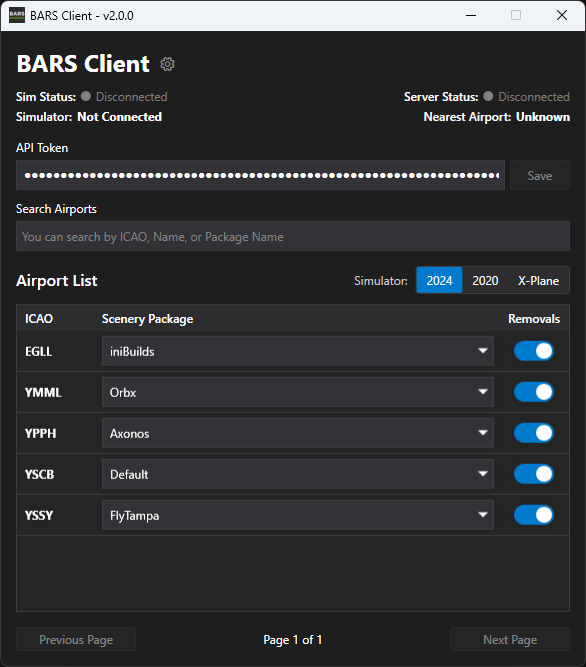
How It Works
The Pilot Client operates through a seamless three-step process:- Receives Real-Time State - The client connects to the BARS Core server and continuously receives live lighting state updates from active controllers
- Loads Your Scenery Package - Based on your configuration, it loads the scenery package positions for your current airport, adjusting airport lighting positions as required
- Spawns and Controls Lights - Using BARS contribution data, the client places airport lights at precise positions in your simulator. Controllers can then manage these lights in real-time through vatSys or EuroScope, and you’ll see the changes instantly in your cockpit
Get Started
The Pilot Client is simple to install and configure, to get started, follow the installation guide.Installation
Step-by-step guide to configure the BARS Pilot Client.
Discord
Need support getting started? Join our Discord server for help.