
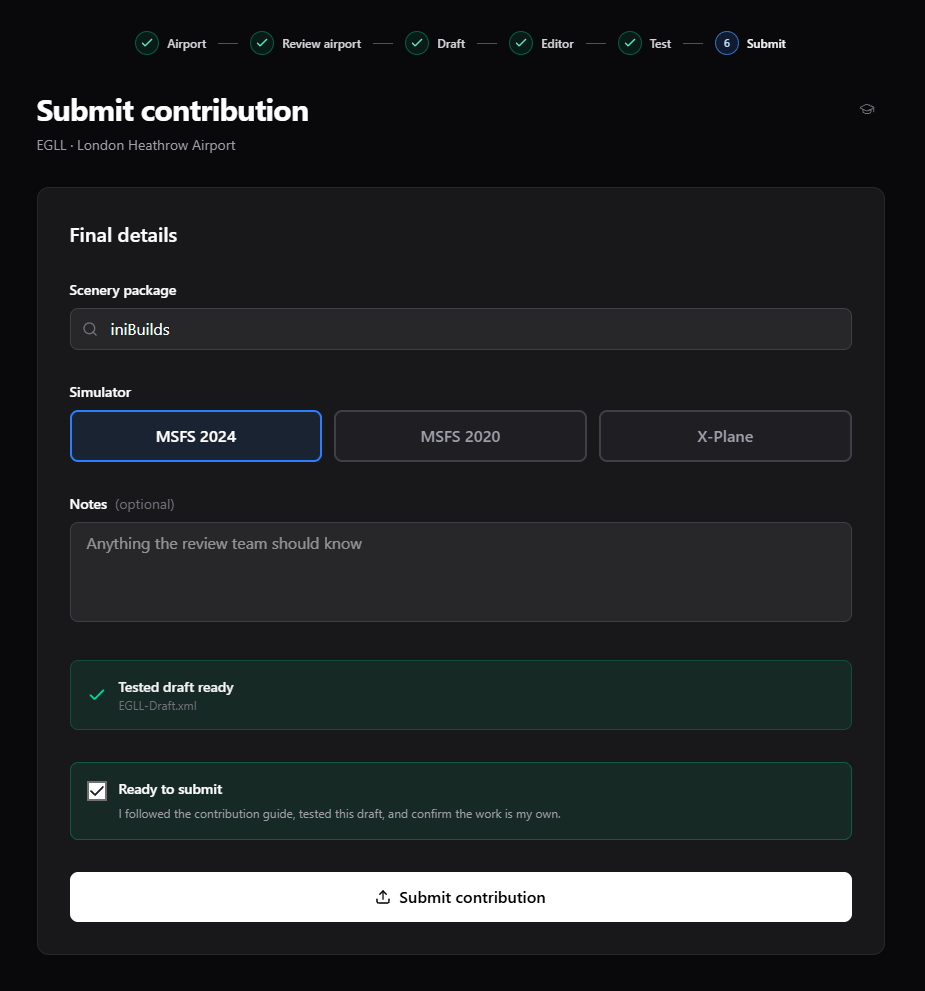
Complete the Final Details
1
Name the scenery package
Enter the package or developer name contributors will recognize, such as
FlyTampa, iniBuilds, or Default. Matching package suggestions appear while you type.2
Select the simulator
Choose MSFS 2024, MSFS 2020, or X-Plane. It must match the simulator used to create and test the draft.
3
Add review notes
Notes are optional. Include any details the reviewer needs, such as a known scenery limitation or the reason for replacing an older contribution.
4
Check the tested draft
The status card must say Tested draft ready and name the expected file.
5
Confirm Ready to submit
Confirm that you followed the guide, tested the draft, and created the work yourself.
6
Select Submit contribution
BARS uploads the tested draft and adds it to the review queue.
Review Process
After submission, the BARS team will review your contribution. It remains pending until reviewed, with two possible outcomes:
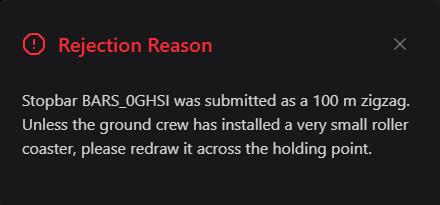
A rejection reason explains the decision when the reviewer supplied one. If your contribution is rejected and you are unsure why, or wish to dispute the decision, join the BARS Discord server and contact staff with your contribution ID.
Tracking Your Contributions
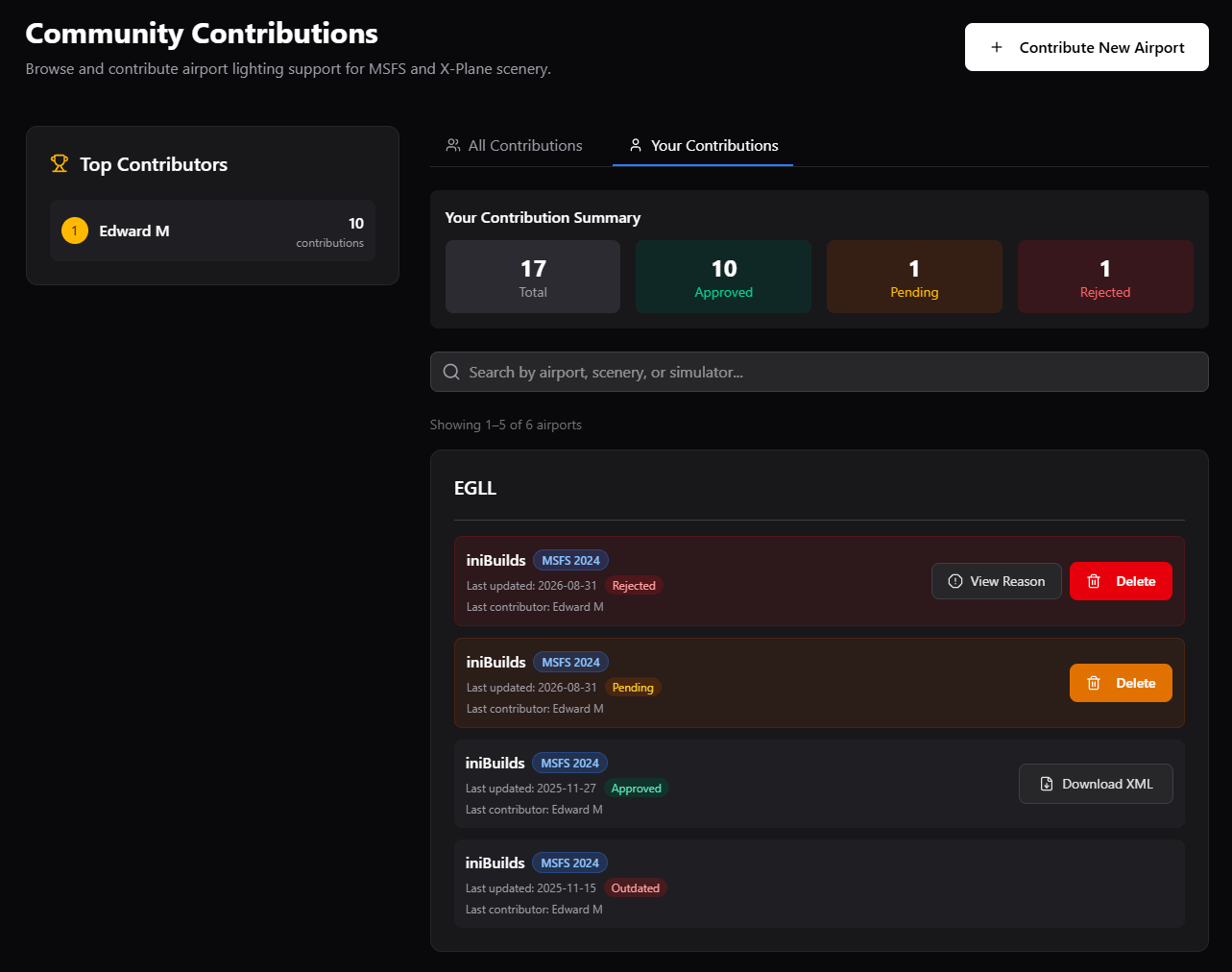
You can track the status of all your contributions through the Contribution Dashboard under the Your Contributions tab. From this tab, you can:- See total, approved, pending, and rejected counts.
- Search by airport, scenery, or simulator.
- Read the last-updated time and simulator for each submission.
- Delete a pending or rejected contribution.
- Open the reason attached to a rejected contribution.
If you need to remove an approved contribution from BARS, contact the team at support@stopbars.com with your contribution ID and reason for removal.
Display Name
Your name is publicly visible on the Contribution Dashboard to all visitors. You can control how your name appears publicly across BARS. Open your account settings and under Preferred Display Name mode, select one of:- First Name
- First Name + Last Initial
- VATSIM CID
Top Contributors
The Top Contributors leaderboard on the Contribution Dashboard recognises users who submit the most contributions. It’s our way of saying thank you and giving recognition to the community members who go above and beyond in expanding airport support.Thank You
Thank you for contributing to BARS. Every contribution helps expand global airport coverage, increases compatibility with more scenery packages, and makes real-time airport lighting available to more people worldwide. Your work directly supports the growth of the platform and the community.Troubleshooting
I do not understand a rejection
I do not understand a rejection
Open View Reason first. If the reason is still unclear, ask in the BARS Discord server and include the contribution ID. Do not post private account details.
I submitted the wrong scenery or simulator
I submitted the wrong scenery or simulator
Delete the pending submission from Your Contributions, return to the contribution flow, and submit a tested draft with the correct details.
I need to replace an approved contribution
I need to replace an approved contribution
Create and test a new draft for the same airport, scenery, and simulator. Explain the replacement in the review notes.
Next Steps
After submitting your contribution, open the dashboard to track its review status.Dashboard
View your contributions, track review status, and see the Top Contributors leaderboard.
Discord
Need support getting started? Join our Discord server for help.